Olymptrade Deposit Methods, Minimums and Processing Times

You’ll find practical, step‑by‑step deposit workflows for common methods, notes on minimum deposit expectations and currency handling, plus quick troubleshooting tips for pending or failed transfers. The guidance also highlights verification and account‑security checks that often affect funding eligibility and withdrawal ability, so you can fund your Olymptrade account with fewer surprises and faster access to your balance.

What Payment Methods Can I Use?
There is a unique list of payment methods available for every country. They can be grouped into:
- Bank cards.
- Digital wallets (Neteller, Skrill, etc.).
- Payment invoice generation in banks or special kiosks.
- Local banks (bank transfers).
- Cryptocurrencies.
For example, you can deposit and withdraw your funds from Olymptrade in India using Visa/Mastercard bank cards or by creating a virtual card in the AstroPay system, as well as using e-wallets like Neteller, Skrill, WebMoney, GlobePay. Bitcoin transactions are also good to go.
How do I make A Deposit
Deposit using Desktop
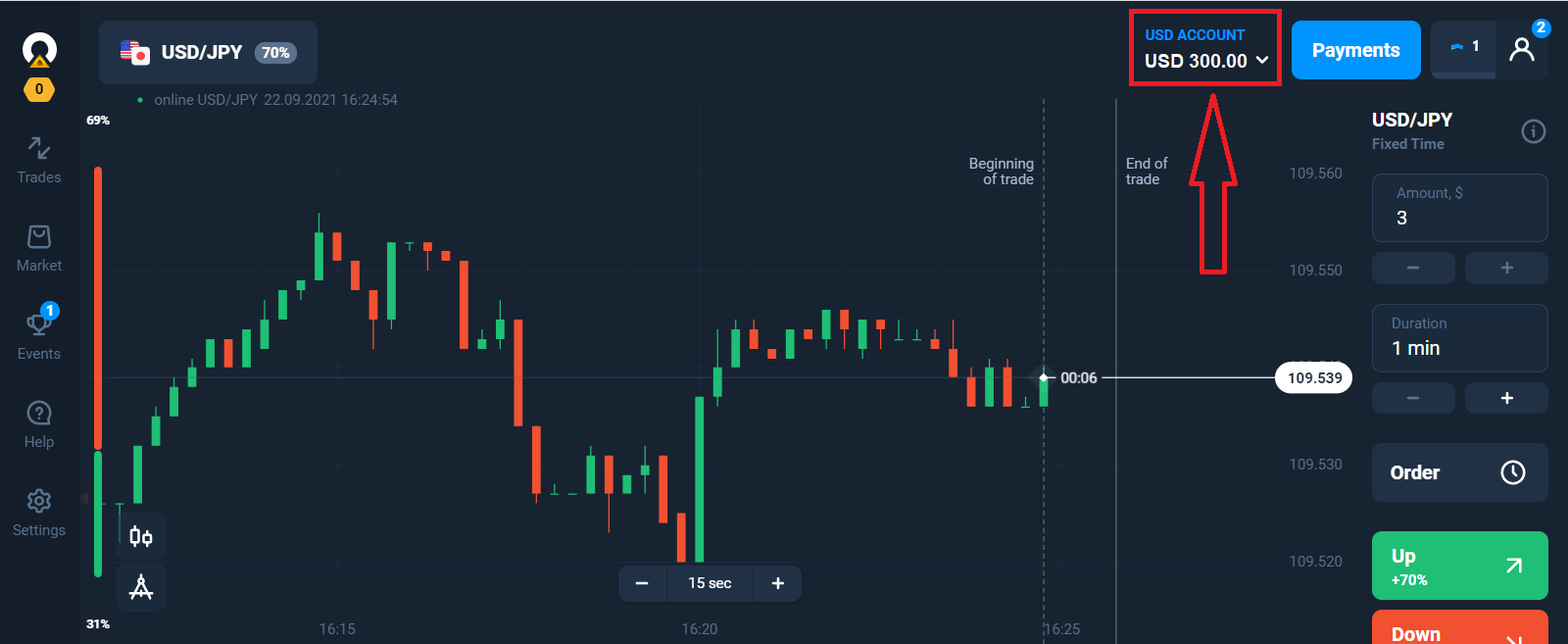
Click the "Payments" button.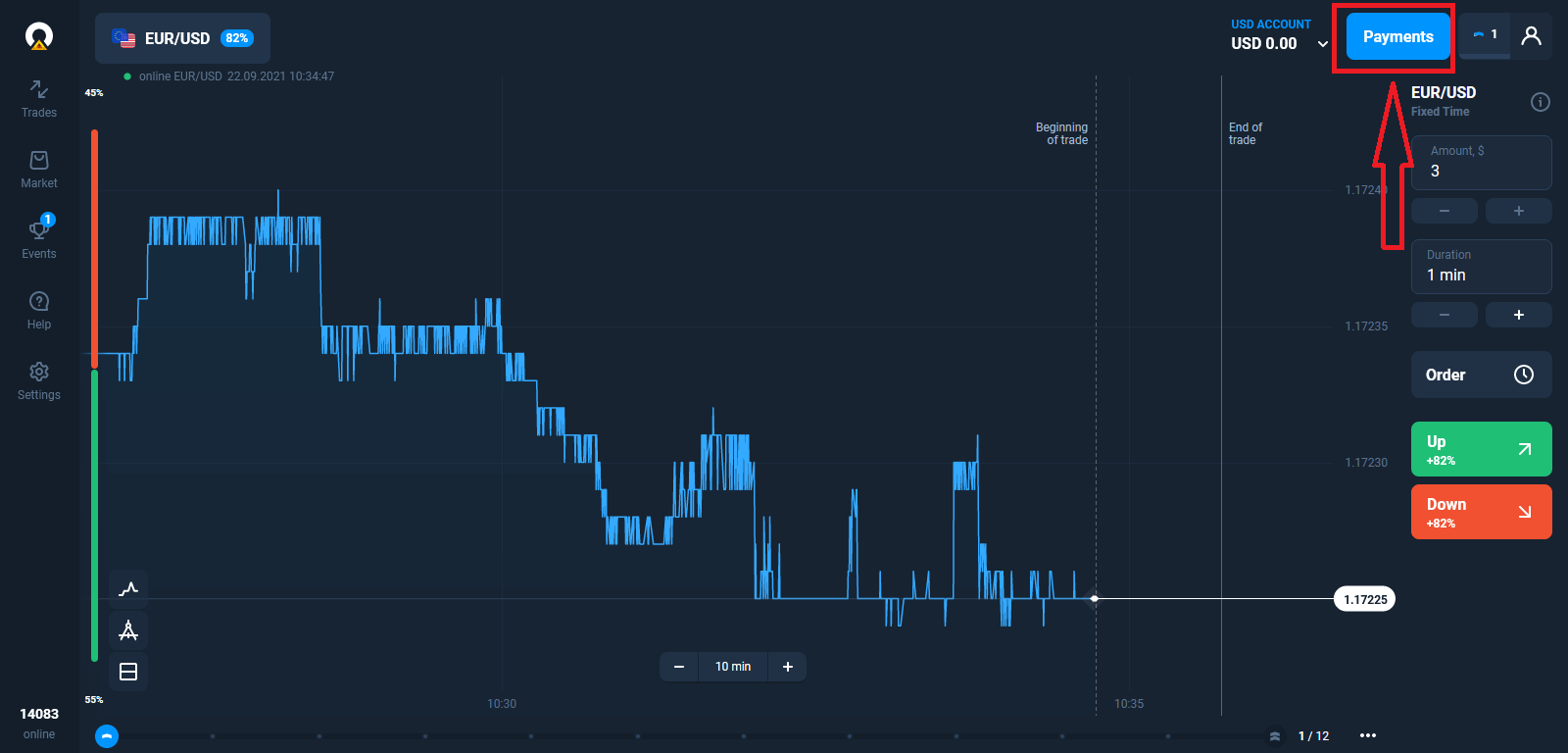
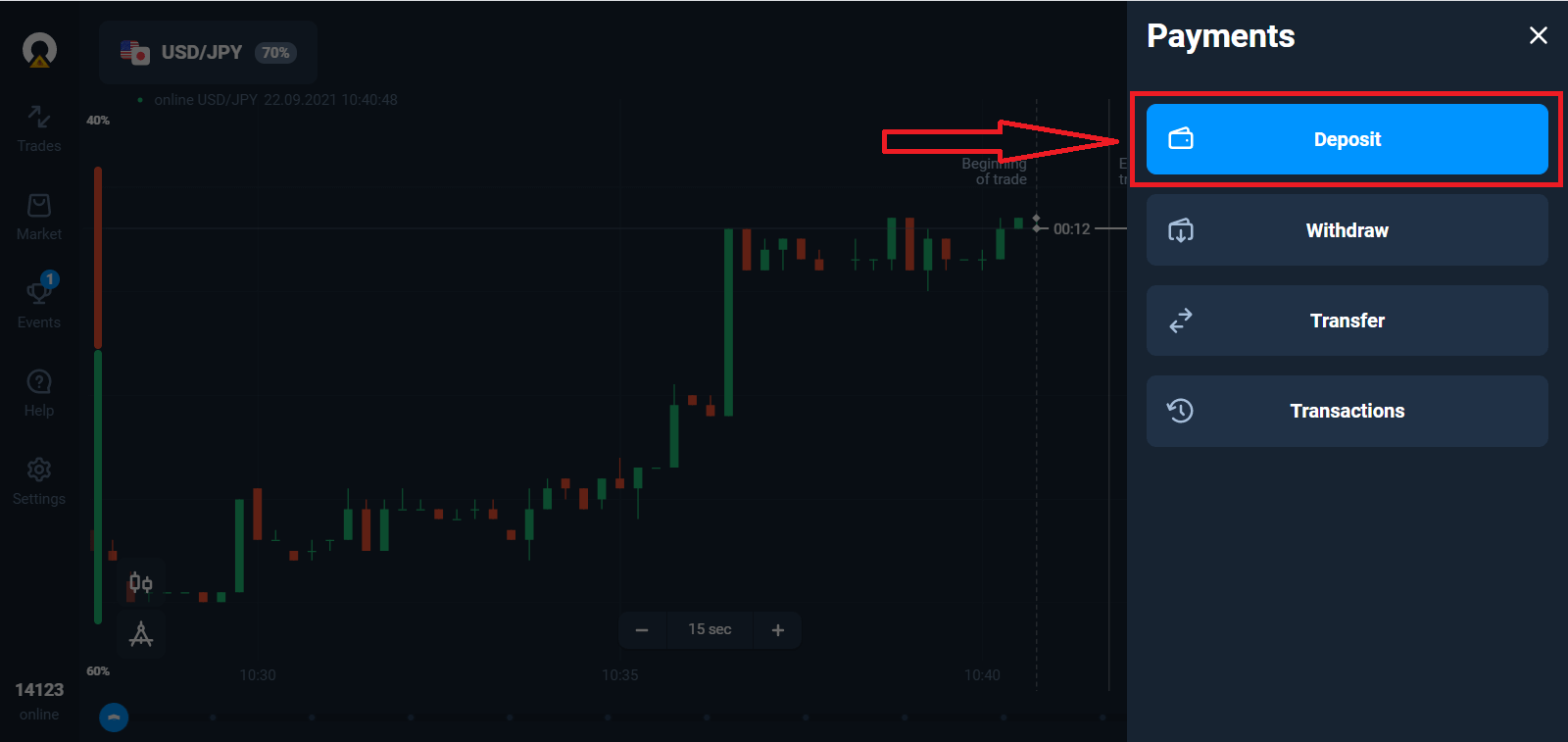
Go to the Deposit page.
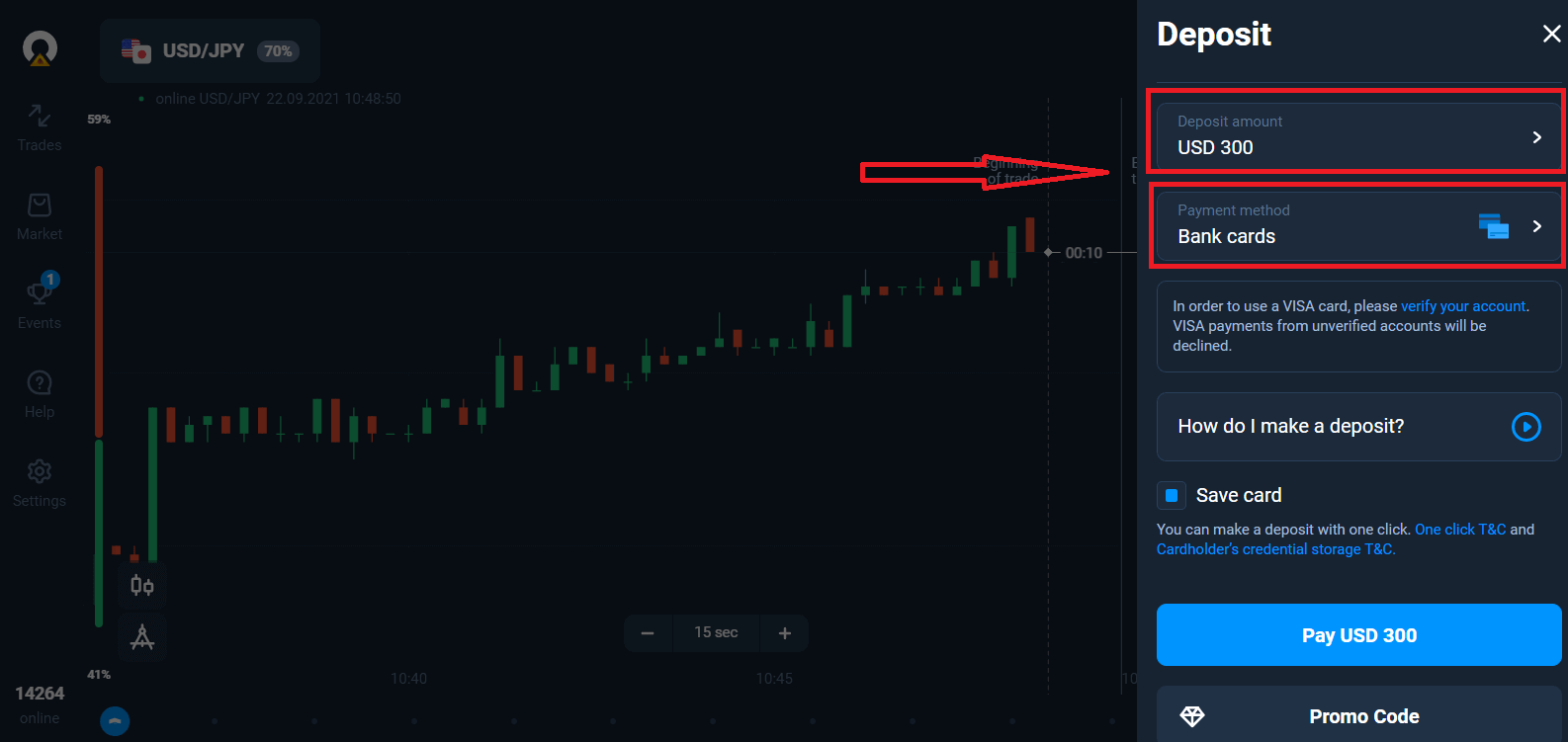
Select a payment method and enter the amount of your deposit. The minimum deposit amount is just $10/€10. However, it may vary for different countries.
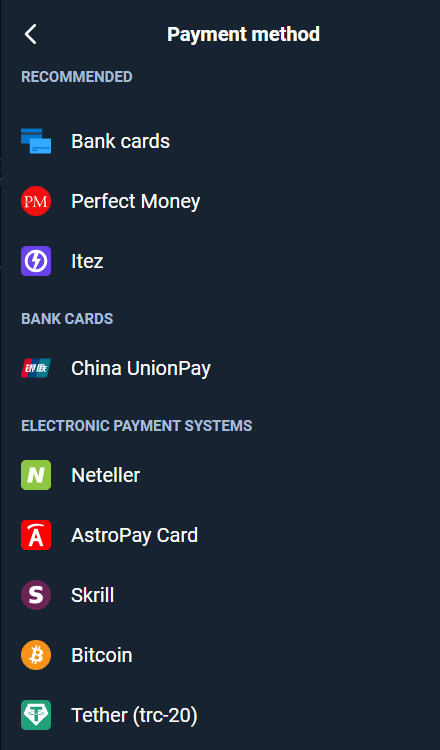
Some of the Payment Options in the list.
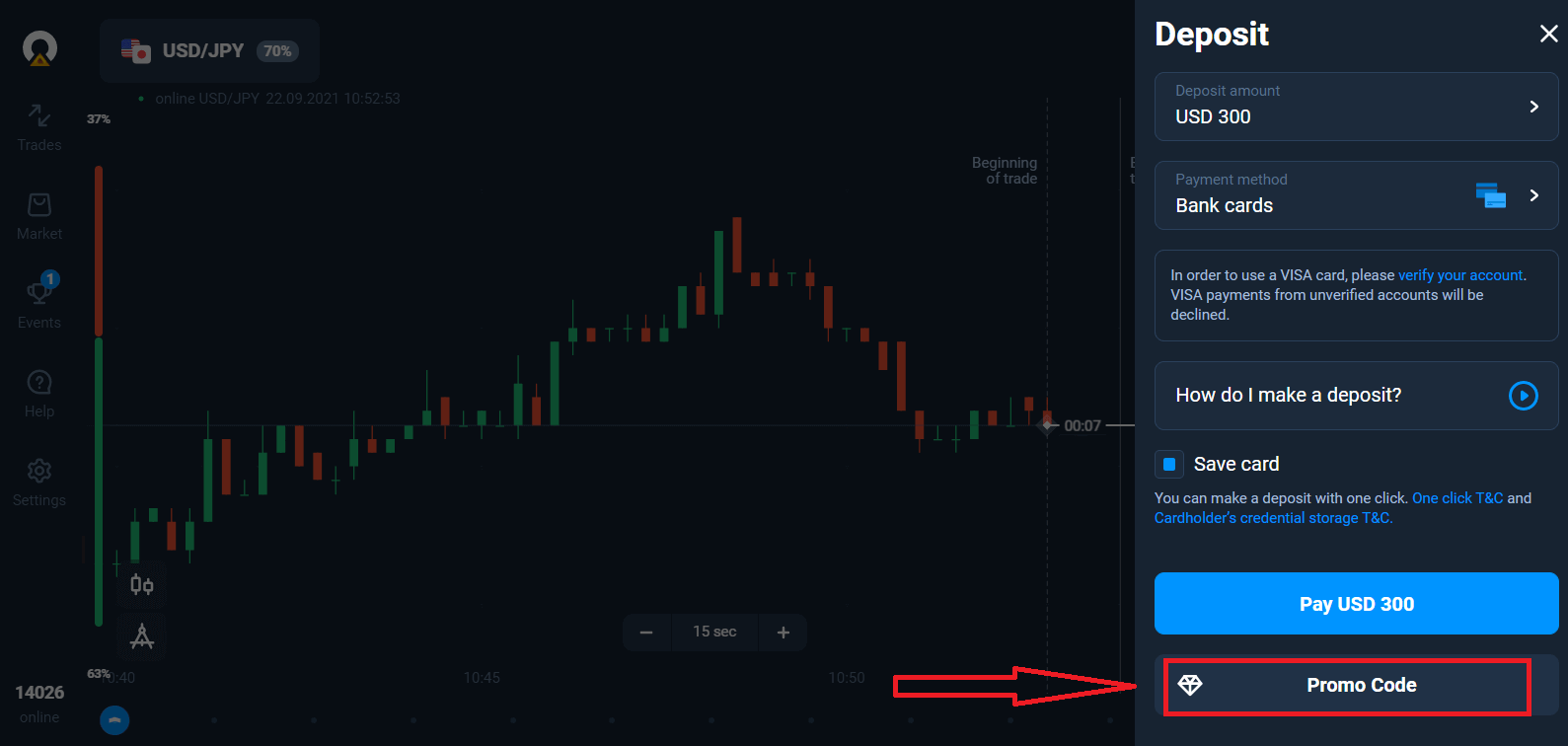
The system may offer you a deposit bonus, take advantage of the bonus to increase the deposit.
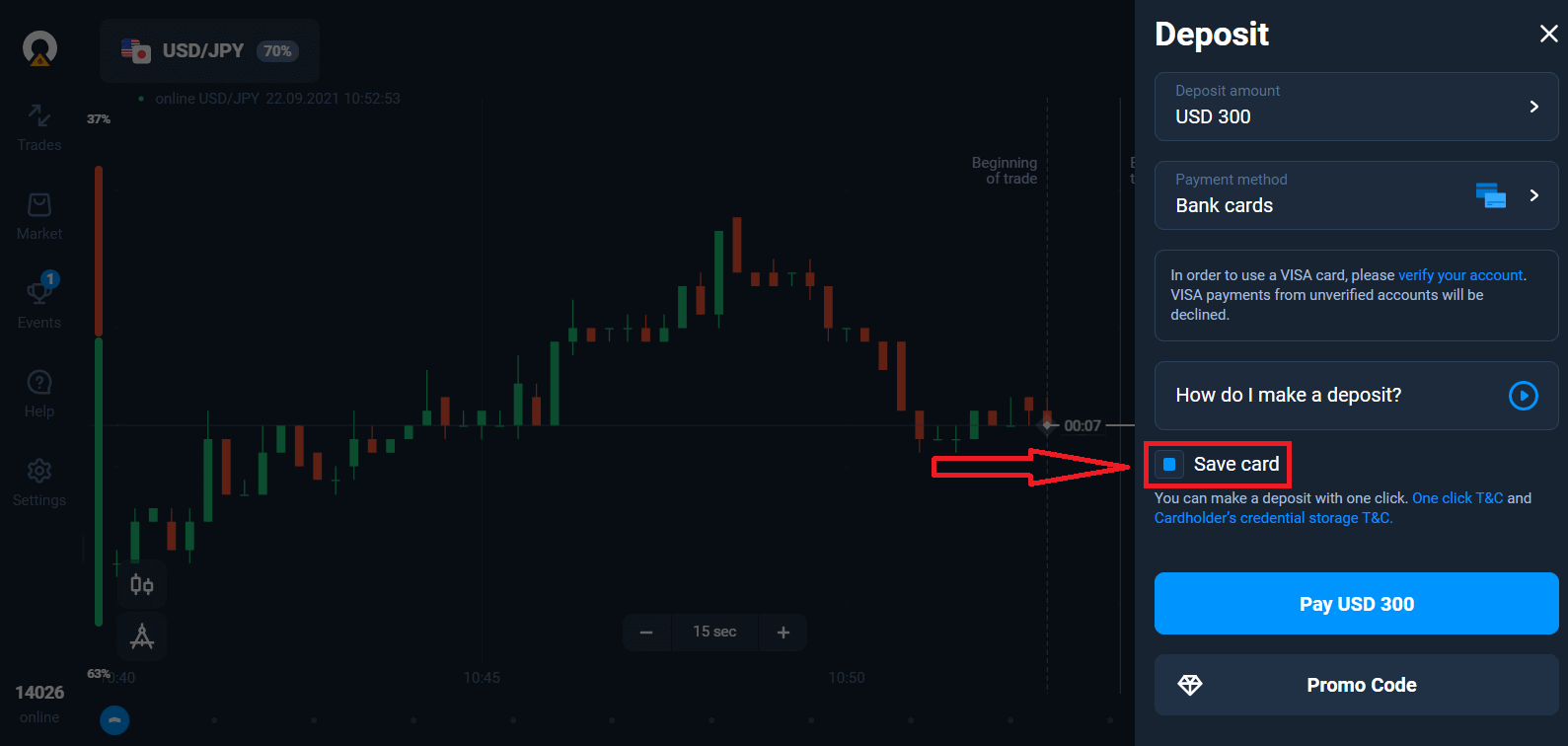
If you top up with a bank card, you can store your card details to make one-click deposits in the future.
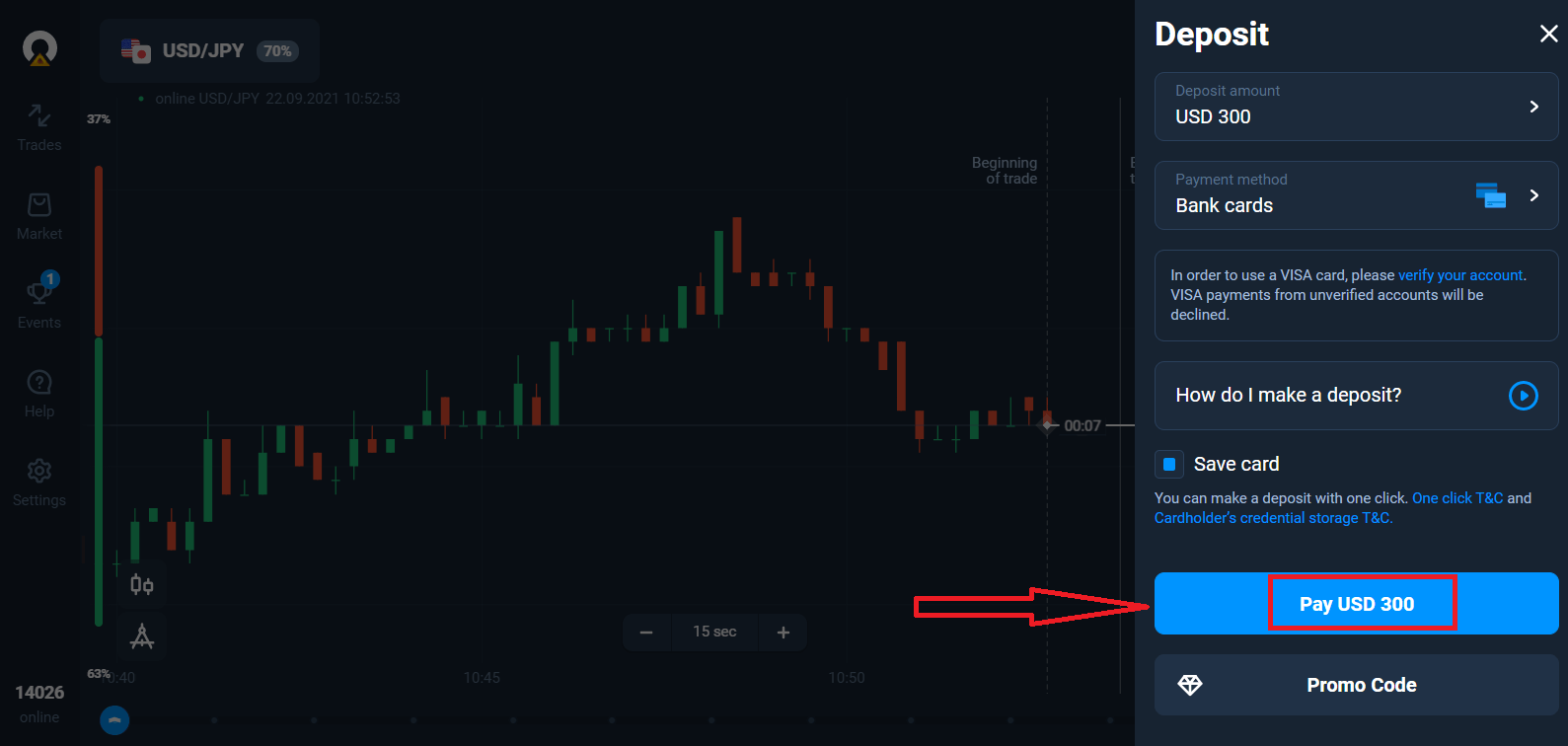
Click the "Pay..." blue button.
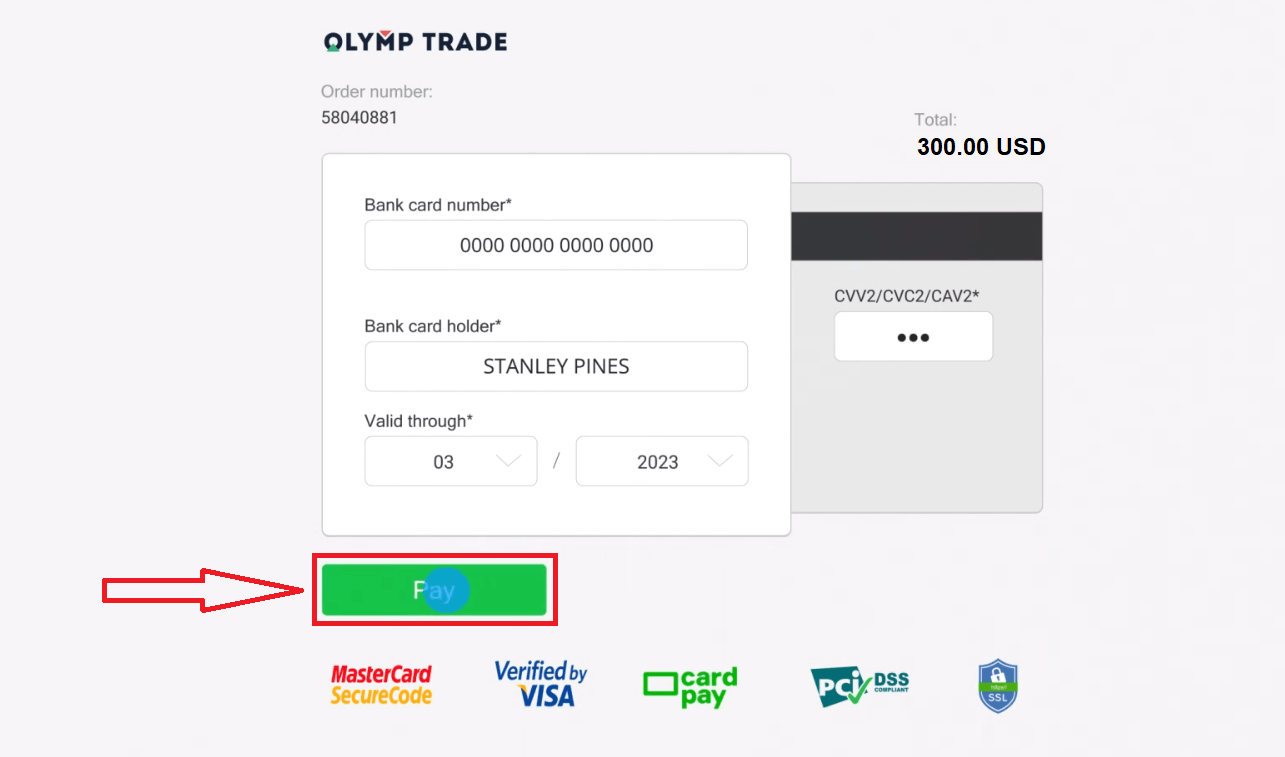
Enter the card data and click "Pay".
Now you can trade on Real Account.
Deposit using a Mobile device
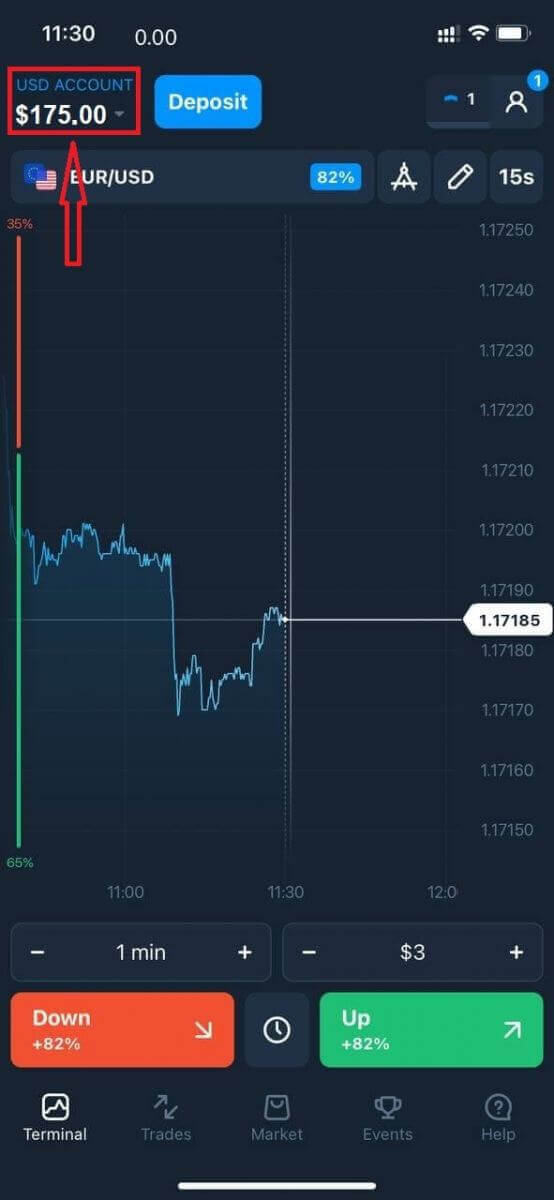
Click the "Deposit" button.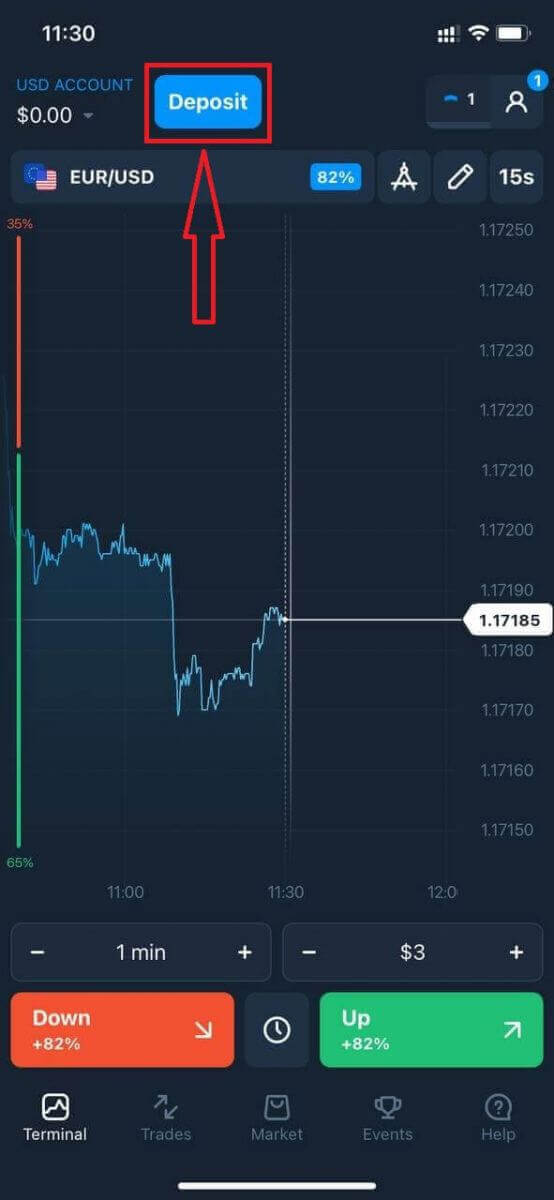
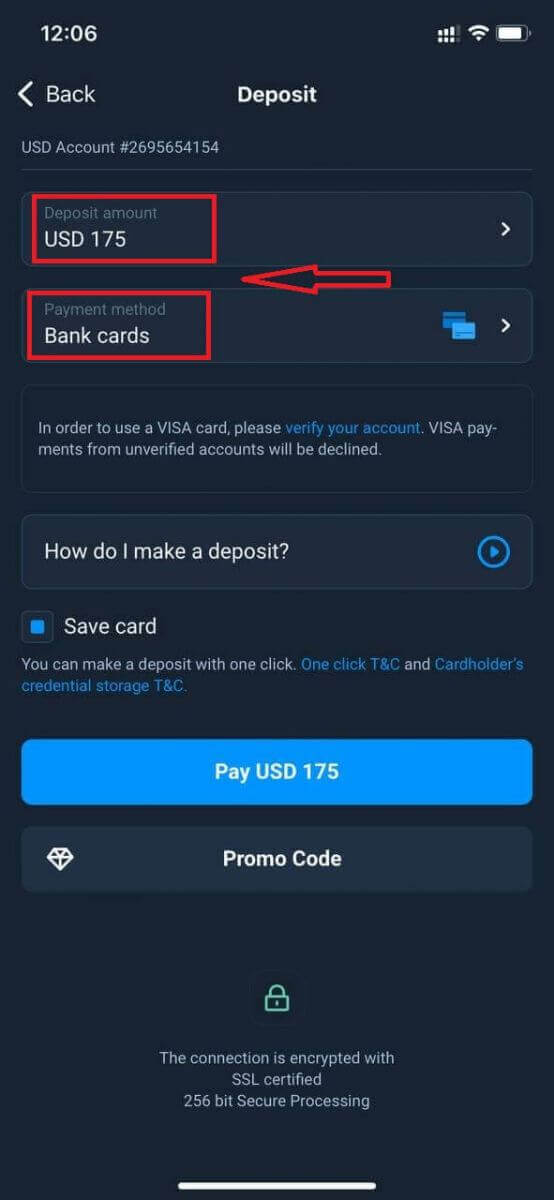
Select a payment method and enter the amount of your deposit. The minimum deposit amount is just $10/€10. However, it may vary for different countries.
Some of the Payment Options in the list.
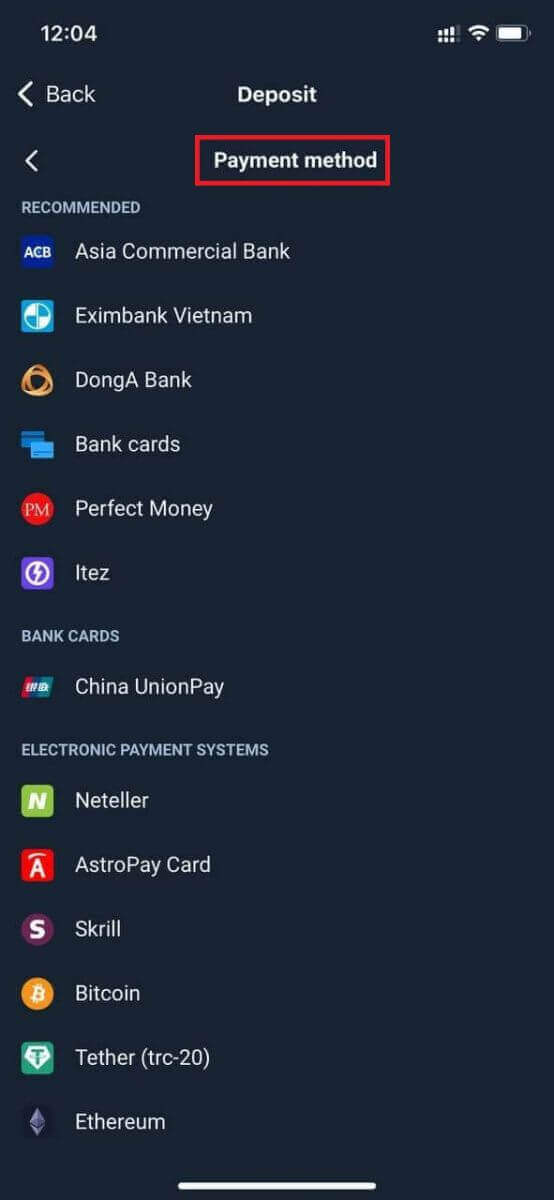
The system may offer you a deposit bonus, take advantage of the bonus to increase the deposit.
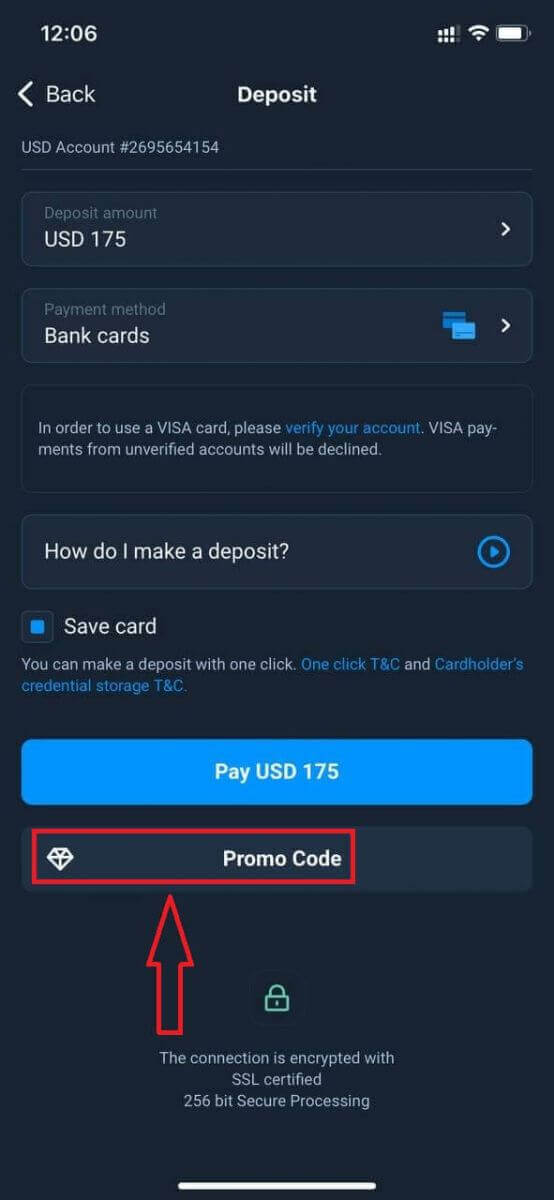
If you top up with a bank card, you can store your card details to make one-click deposits in the future.
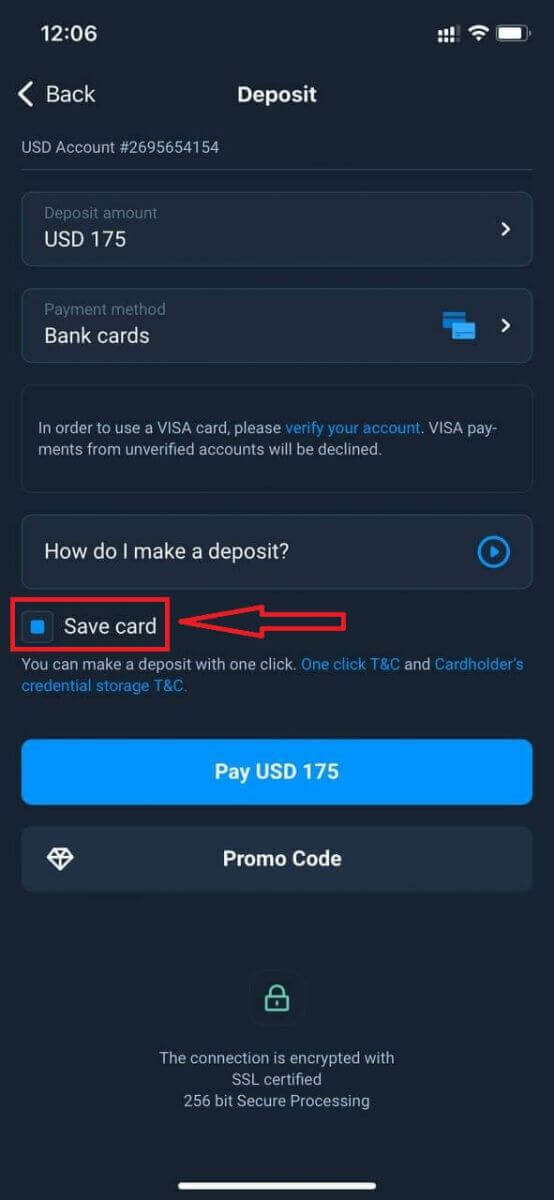
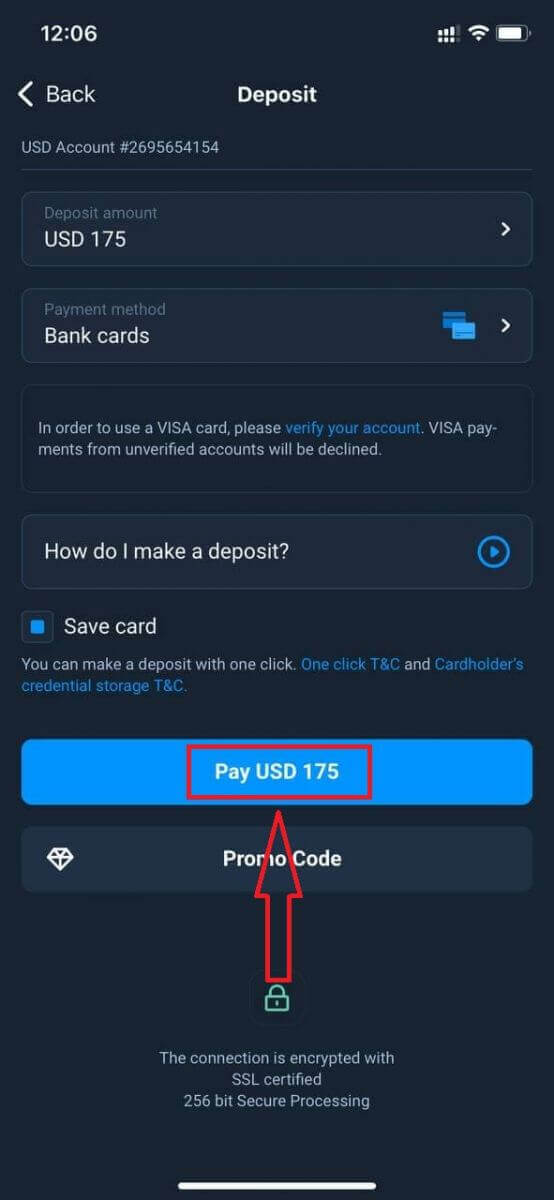
Click "Pay...".
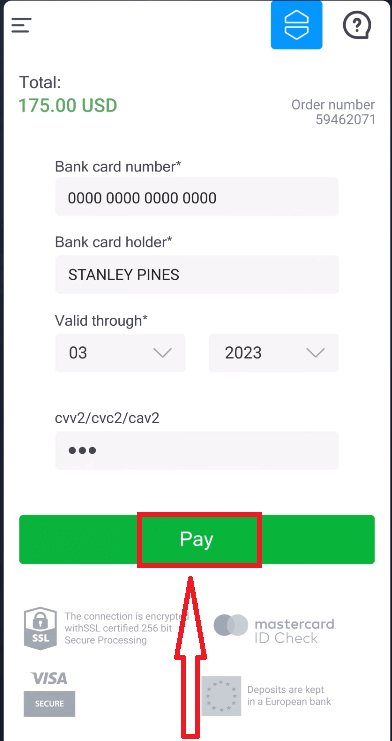
Enter the card data and click the "Pay" green button.
Now you can trade on a Real Account.
Frequently Asked Questions (FAQ)
When will the funds be credited?
The funds are usually credited to trading accounts fast, but sometimes it can take from 2 to 5 business days (depending on your payment provider.)If the money has not been credited to your account right after you make a deposit, please wait for 1 hour. If after 1 hour there is still no money, please wait and check again.
I Transferred Funds, but They Weren’t Credited to My Account
Make sure the transaction from your side has been completed.If the funds transfer was successful from your side, but the amount was not credited yet to your account, please contact our support team by chat, email, or hotline. You will find all contact information in the "Help" menu.
Sometimes there are some issues with the payment systems. In situations like this, funds are either returned to the payment method or credited to the account with a delay.
Do you charge a brokerage account fee?
If a customer has not made trades in a live account and/or has not deposited/withdrawn funds, a $10 (ten US dollars or its equivalent in the account currency) fee will be charged monthly to their accounts. This rule is enshrined in non-trading regulations and KYC/AML Policy.If there are not enough funds in the user account, the amount of the inactivity fee equates to the account balance. No fee will be charged to a zero-balance account. If there is no money in the account, no debt is to be paid to the company.
No service fee is charged to the account provided that the user makes one trading or non-trading transaction (funds deposit/withdrawal) in their live account within 180 days.
The history of inactivity fees is available in the “Transactions” section of the user account.
Do you charge a fee for making a deposit/withdrawing funds?
No, the company covers the costs of such commissions.
How can I get a bonus?
To receive a bonus, you need a promo code. You enter it when funding your account. There are several ways to get a promo code:– It may be available on the platform (check the Deposit tab).
– It may be received as a reward for your progress on Traders Way.
– Also, some promo codes may be available in the broker’s official social media groups/communities.
Bonuses: Terms of Use
All the profit a trader makes belongs to him/her. It can be withdrawn at any moment and without any further conditions. But note that you cannot withdraw bonus funds themselves: if you submit a withdrawal request, your bonuses are burned.The bonus funds in your account sum up if you apply a bonus promo code when depositing additional money.
Example: In his account, a trader has $100 (their own funds) + $30 (bonus funds). If s/he adds $100 to this account and applies a bonus promo code (+ 30% to the deposit amount), the account balance will be: $200 (own money) + $60 (bonus) = $260.
Promo codes and bonuses can have unique terms and conditions of use (validity period, bonus amount).
Please note that you cannot use the bonus money to pay for the Market features.
What happens to my bonuses if I cancel a funds withdrawal?
After making a withdrawal request, you may continue trading using your total balance until the requested amount is debited from your account.While your request is being processed, you may cancel it by clicking the Cancel Request button in the Withdrawal area. If you cancel it, both your funds and bonuses will remain in place and available for use.
If the requested funds and bonuses are already debited from your account, you may still cancel your withdrawal request and recover your bonuses. In this case, contact Customer Support and ask them for assistance.
Conclusion: Fund Your Olymptrade Account with Confidence
Depositing funds on Olymptrade is a straightforward process that allows you to start trading in just a few minutes. By following the clear steps above and using secure, reliable payment methods, you can fund your account efficiently while maintaining the highest standards of security for your transactions. Take the step today to deposit into your Olymptrade account and begin exploring the opportunities the financial markets have to offer.